

Read barcodes and QR codes
A pack carries its identity in codes: an EAN-13 for the product, a QR code or a Data Matrix for the lot and the date. The «barcode-reader» node finds and decodes every code in an image. In this guide you read the three codes of a biscuit pack label and choose the decoder that reads them all.
What you will learn
- How to read every barcode and QR code of an image
- Where the node puts what it reads
- How to choose a decoder for the codes the default one misses
Before you start
Here an rp-image-in node loads a photo of a pack label from the controller's disk, /tmp/line-check/pack-label.jpg, and shows it under the node; see Load and transform an image. The label carries an EAN-13, a QR code and a Data Matrix.
1. Add a barcode reader
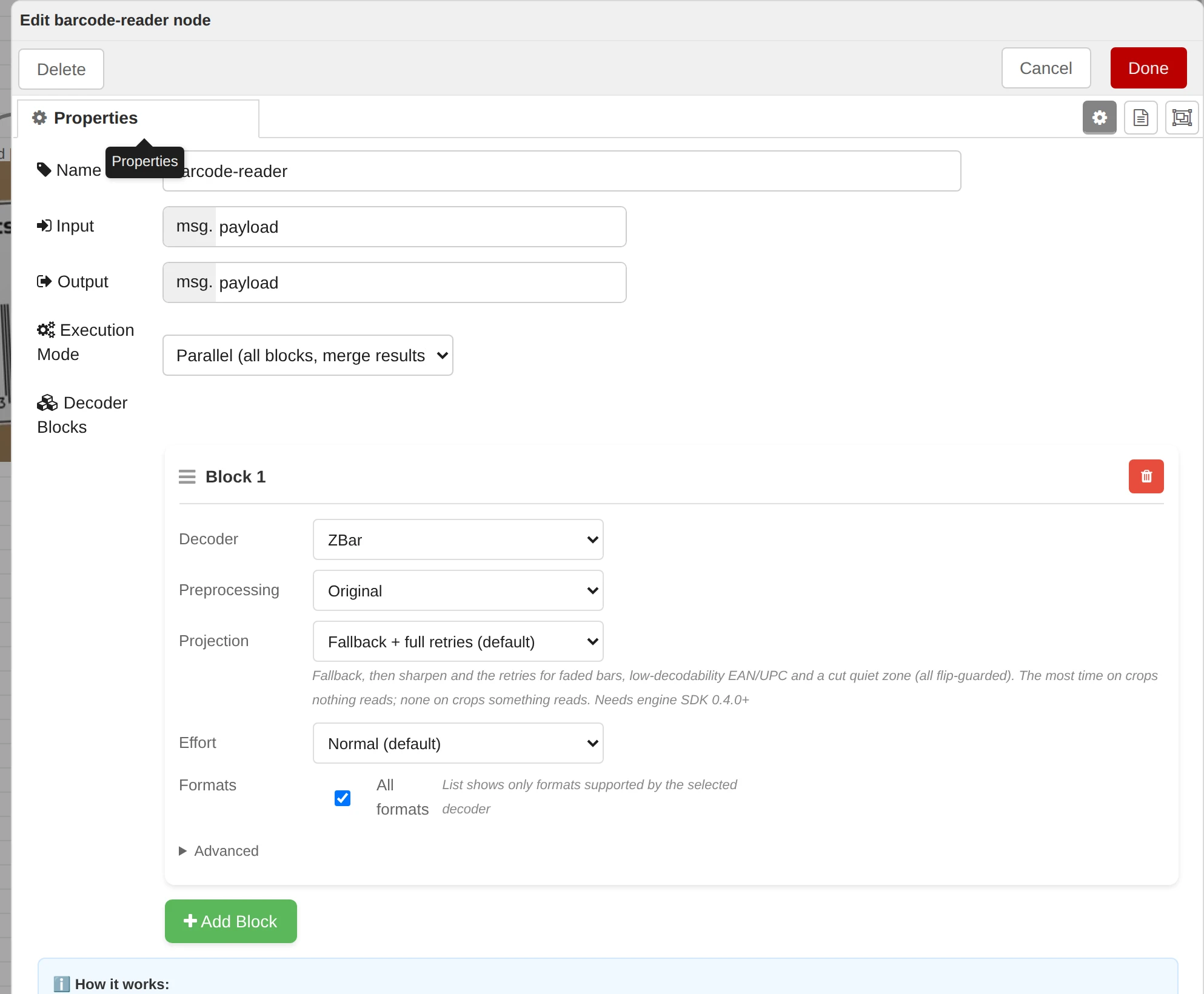
Type barcode-reader in «filter nodes», drag the node between the image node and the debug node and wire it to both. Open it. «Input» and «Output» are where the image comes from and where the codes go: msg.payload for both. It starts with one block, the ZBar decoder on the original image.
2. Read the label
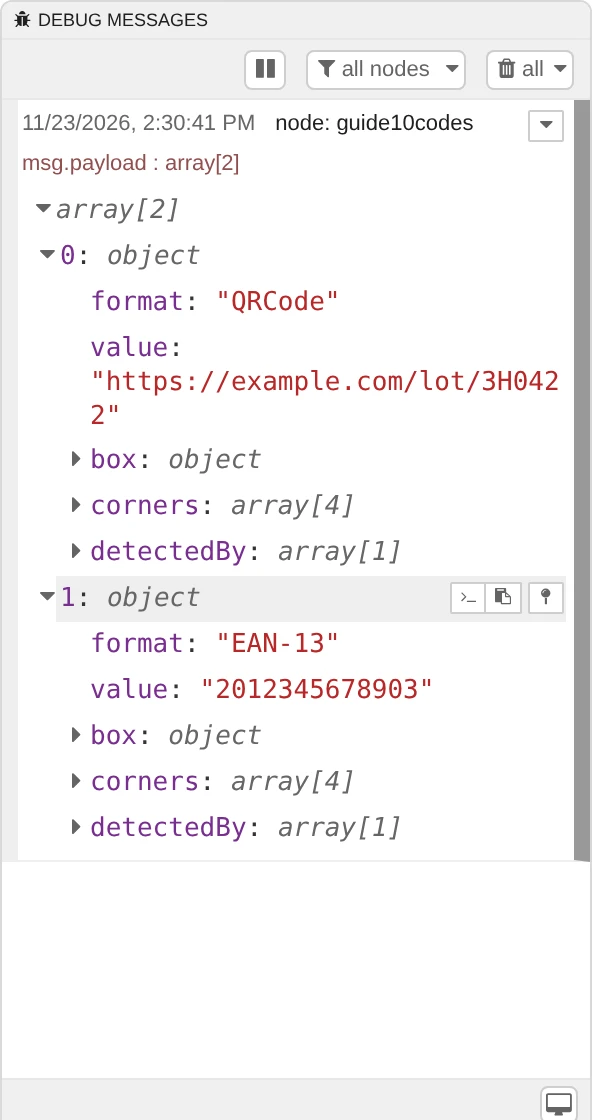
Click «Done», deploy and press the inject node. The node returns a list with one entry per code it found: its format, its value, where it is in the image (box and corners, from 0 to 1) and detectedBy, the decoder that read it. ZBar reads the EAN-13 and the QR code, but not the Data Matrix: it does not know that format.
3. Change the decoder
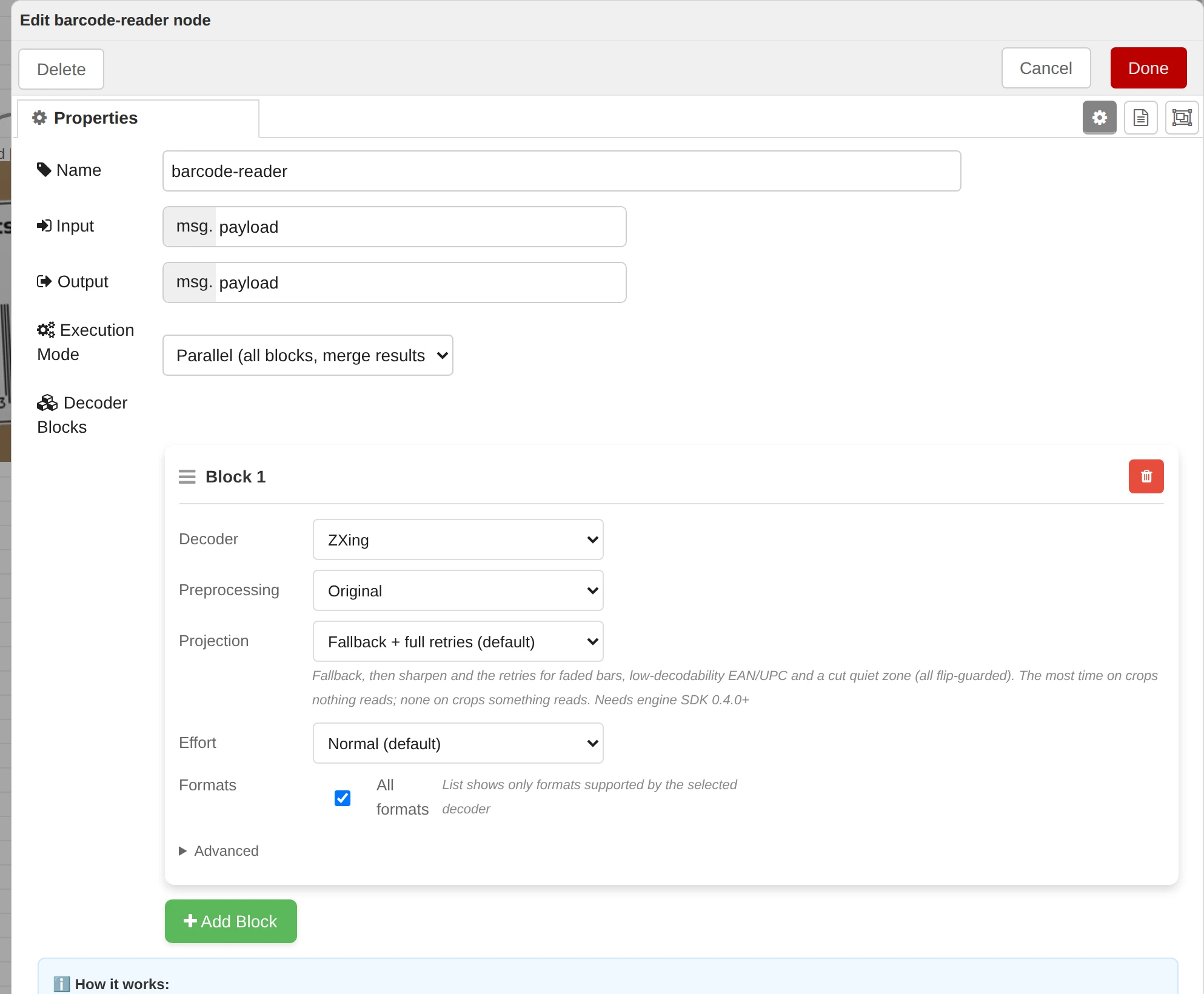
Open the node again and set the block's «Decoder» to «ZXing», which knows more formats: Data Matrix and Aztec besides the barcodes and QR codes. «Preprocessing» prepares the image for the decoder: «Original» only turns it grey, which is enough for a clean print.
4. Read the three codes
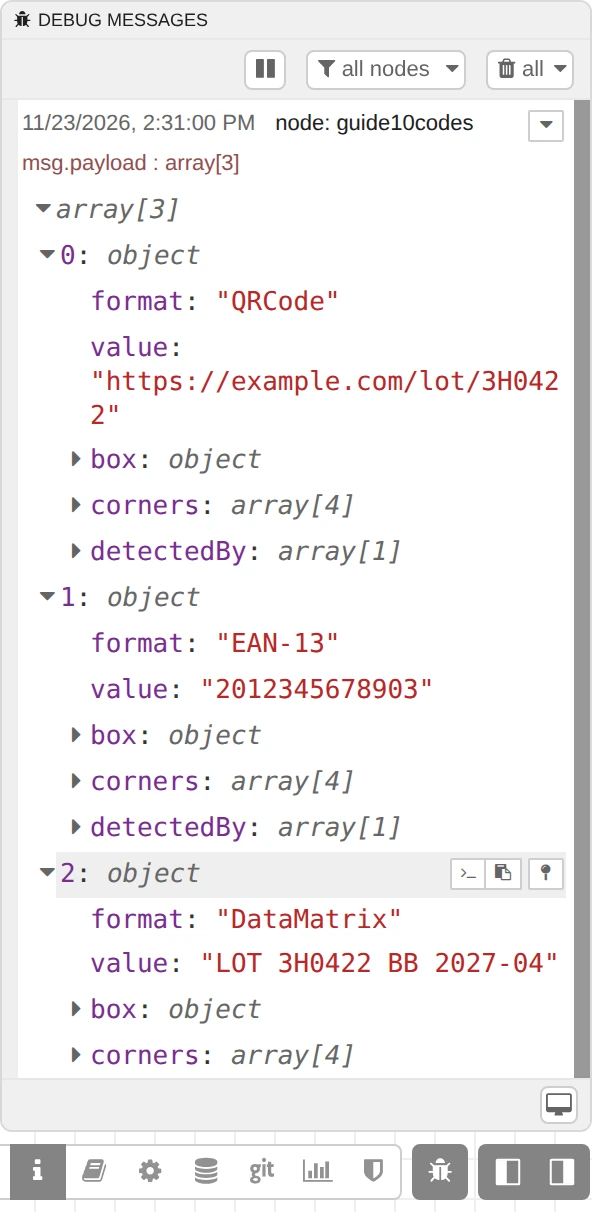
Click «Done», deploy and press the inject node. The list now holds three codes. The Data Matrix carries the lot and the best-before date, LOT 3H0422 BB 2027-04.
Good to know
- Hard to read codes. Choose another «Preprocessing»: «Histogram Equalization» for poor light, «Otsu Threshold» for faint print, «Sharpen» for codes out of focus.
- Several decoders. A node can hold several blocks, each a decoder with its own preprocessing and formats. In «Parallel» mode every block reads the image and the results are merged; «Sequential» stops at the first block that finds something, so put the fastest first. Unticking «All formats» limits a block to the formats on your labels, which is faster and avoids mistaking a printed pattern for a code.
- The Rosepetal SDK decoder. Rosepetal's own engine reads 1D codes (EAN/UPC, Code 128, Code 39, Code 93, Codabar, ITF), also tilted, blurred or low-resolution crops. Put its block first to get the code's reading direction,
linesandconfidencein the result. - One code per object. Crop each object first with
rp-cropBBand send the list of crops: the node reads each one and returns a list of results per image. - Use the result. A switch node on
msg.payload[0].value, or a function node that compares the codes with the expected ones, turns the reading into a verdict; see Decide pass or fail from the predictions.
Next steps
Recorded on Rosepetal release 1.8.15, Node-RED 5.0.10.